

We’ve all been there. You’re cleaning out a closet or the attic, and you stumble upon a plastic bin filled with black rectangular boxes. They are your childhood birthdays, your parents’ wedding, and that one summer vacation where everyone still had hair. These VHS tapes are a goldmine of memories, but they are also a ticking clock. Magnetic tape doesn't last forever.
Naturally, the first instinct for many is to head to a major online retailer, type in "VHS to digital converter," and buy the first $20 USB dongle that pops up. It seems like a fun weekend project, right? You think, "How hard can a video transfer to flash drive really be?"
Actually, it’s a lot harder than it looks if you care about the quality of those memories. At Scan A Lot, LLC, we see the results of DIY attempts all the time: shaky footage, out-of-sync audio, and sometimes, tapes that were accidentally destroyed by old equipment. Before you plug that cheap plastic adapter into your laptop, let’s talk about why professional video transfer services are the safer, better choice for your family history.

The Allure of the DIY Kit
It’s easy to see why DIY is tempting. The marketing for consumer-grade capture cards makes it sound like a "plug and play" dream. They promise that for the price of a couple of pizzas, you can digitize your entire library.
However, these kits are often the bare minimum. They are designed to "work," not to work well. When you are dealing with vhs tapes that might be 30 or 40 years old, "bare minimum" equipment can lead to permanent disappointment. Digitalization is a "one and done" process for most people. If you do it poorly now, you might not get a second chance if the tape degrades further or gets damaged in the process.
Why Cheap Capture Cards Fail
The heart of a video transfer to flash drive is the capture card. This is the device that takes the analog signal from your VCR and turns it into digital 1s and 0s.
Cheap capture cards use low-end chips that compress the video signal aggressively. This results in "digital artifacts": those blocky, pixelated squares you see in low-quality videos. You might also notice that the colors look washed out or that the image has a strange "ghosting" effect.
Professional setups, like those we use at Scan A Lot, utilize high-bitrate encoding and broadcast-grade hardware. This ensures that the digital file is a faithful reproduction of what is on the tape, capturing every detail and color nuance that your old home movies have to offer.
The Missing Link: Time Base Correction (TBC)
This is the most technical part of the process, but it’s also the most important. If you’ve ever watched a DIY digital transfer and noticed the top of the screen looks "wavy" or the whole image seems to jitter and bounce, you’re seeing a lack of Time Base Correction (TBC).
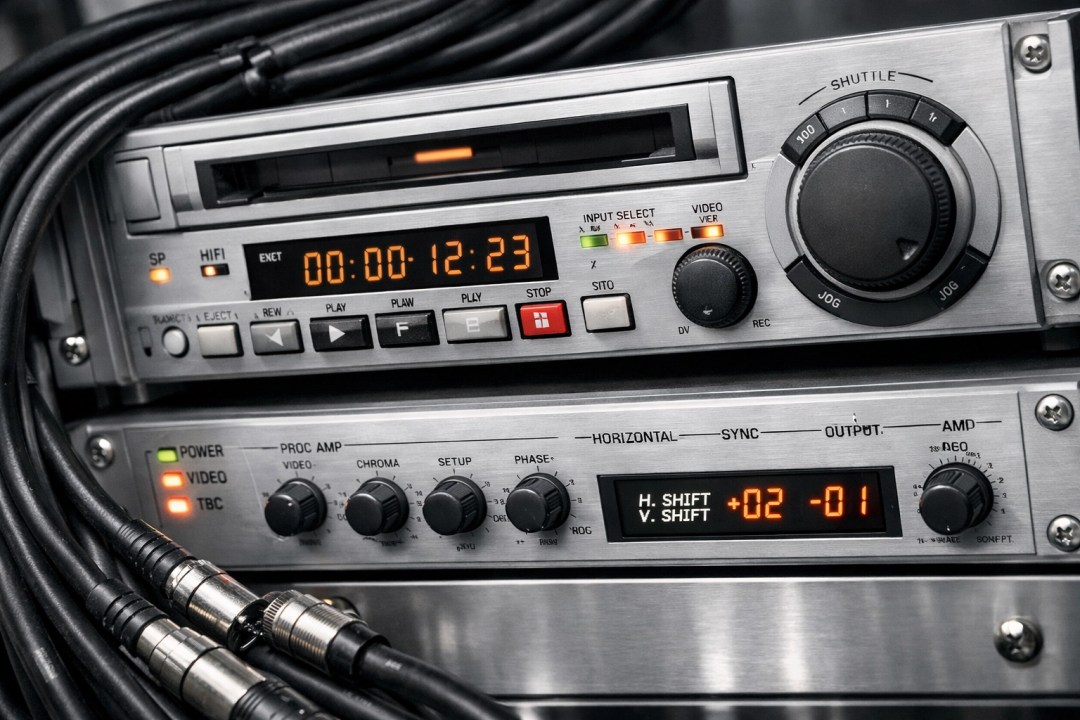
Analog tape is inherently unstable. The mechanical nature of a VCR means the timing of the video signal isn't perfect. A professional TBC is a dedicated piece of hardware that "cleans up" these timing errors before the video is digitized. It acts like a buffer, smoothing out the signal so the computer gets a perfectly stable image.
Most consumer-grade VCRs and cheap USB capture sticks don't have built-in TBC. Without it, your video transfer to flash drive will likely suffer from:
- Jittery or "shaky" video.
- Horizontal lines tearing across the screen.
- Audio and video falling out of sync (where the person’s mouth moves, but the sound comes two seconds later).
At Scan A Lot, we use professional TBCs to ensure your digital files are rock-solid and easy to watch.
Protecting the Physical Tape
The most dangerous part of a DIY project isn't the software: it's the VCR. To do a DIY transfer, you need a functioning VCR. Most people pull an old unit out of the garage that hasn't been turned on since 2004.
Inside a VCR are rubber belts, rollers, and lubricants. Over decades, belts dry out and snap, and lubricants turn into a sticky goo. When you pop your precious wedding tape into an unserviced VCR, there is a very real risk that the machine will "eat" the tape. Once a tape is tangled and crinkled inside a machine, the damage is often permanent.
Professional media conversion services use high-end, broadcast-grade decks that are regularly cleaned and maintained. We know how to handle delicate tape, ensuring that the only thing happening is a smooth playback, not a mechanical disaster.
The Hidden Cost of Your Time
Let’s talk about the one thing you can’t get more of: time.
A video transfer to flash drive happens in real-time. If you have ten 2-hour tapes, that is 20 hours of straight recording time. But it’s never just 20 hours. You have to set up the software, monitor the levels, title the files, and troubleshoot the inevitable "why isn't my computer seeing the VCR?" moments.
For a busy family or a professional, spending dozens of hours babysitting a VCR just isn't practical. When you search for "digitalization near me" and find a service like Scan A Lot, you aren't just paying for the equipment; you're buying back your weekend.

Professional Quality You Can See
When you choose a professional video transfer to flash drive, the difference is clear. We don't just "record" the tape. We optimize the signal. This includes:
- High-Quality Formats: We provide files that are compatible with modern smart TVs, computers, and tablets.
- Flash Drive Convenience: We provide a high-quality flash drive that makes it easy to share files with family members across the country.
- Expert Oversight: If a tape is struggling, we have the experience to adjust settings and get the best possible pull from the media.
Our goal is to make sure that when you plug that drive into your laptop, you aren't looking at a blurry, shaky mess: you’re looking at your memories exactly as you remember them.
Preserving Your Family Legacy
Your home movies are one-of-a-kind. There is no "backup" of your child’s first steps or your grandparents' anniversary party. These are irreplaceable historical documents of your family’s life.
When something is irreplaceable, it deserves more than a $20 DIY solution. It deserves the care and precision that comes with professional equipment and years of experience. Whether it's 8mm film, audio cassettes, or standard VHS, we treat every project with the respect it deserves.

Don't Risk It: Go Pro
It’s tempting to try the DIY route, especially if you’re tech-savvy. But the combination of aging tape, unstable analog signals, and the risk of mechanical failure makes it a gamble that often doesn't pay off.
By choosing Scan A Lot, LLC, you’re ensuring that your memories are preserved using the best technology available. We take the stress out of the process, delivering a clean, stable, and high-quality digital version of your history that you can enjoy for decades to come.
CTA: Don't risk your family's history on amateur equipment. Get a professional video transfer to flash drive from Scan A Lot. Visit scanalot.photos to get started.
#VHS #VideoTransfer #FlashDrive #PreserveMemories #HomeMovies #ScanALot #DigitalizationNearMe #FamilyHistory #TipsAndTricks #Preservation